Facebook broadcasting made easy for online sellers
Message past customers on Facebook Messenger. Broadcast by customer label, send text and images, connect unlimited Pages and pay no ad spend.
 Use the Chrome extension
The numbers speak for us
Our results come from real users. Here's what they add up to.
messages broadcast per day
Send without limits, reach customers who actually read, and keep your sales.
Facebook Pages using BroadTurbo
Small Pages and big ones choose us because it's genuinely easy and convenient.
delivered to customer chats
Keep sales from slipping and customers from drifting away, and keep orders coming in.
*For customers who haven't blocked messages
What is a Facebook broadcast?
Understand how broadcasting on Facebook works before you start messaging customers.
A Facebook broadcast sends the same message from your Facebook Page to many customers, or anyone who has chatted with your Page, all at once. The message lands directly in the customer's Facebook Messenger, so it's easy to open and reply to right away. That's different from a boosted post, which is just an ad in the feed.
A good broadcast tool helps online stores message past customers about promotions and new products, or bring them back to buy again, with no ad spend per message. You can also target just the right audience by broadcasting by customer label, such as customers who have ordered before, customers interested in a particular product category, or leads who haven't closed yet.
BroadTurbo is a Facebook broadcast tool for online sellers, Page admins, sales teams and agencies managing many Pages. Broadcast safely, with unlimited Pages, and send both text and images. Read the full Facebook broadcast guide or compare it with other tools on the BroadTurbo vs ManyChat page.

Key Facebook broadcast features for online stores
Everything online sellers need: message past customers, broadcast by label, send images with text, and connect unlimited Pages.
Easy Facebook broadcasting, set up in 1 minute
Get going right away with the video tutorial and start your first Facebook broadcast within 1 minute. Works on phone, tablet and computer.
Schedule Facebook Page messages automatically
Built for Pages with lots of customers: start a broadcast and close your screen. The system keeps sending automatically and handles broadcasts in the tens of thousands of messages.
See how to reach past customers after 24 hours →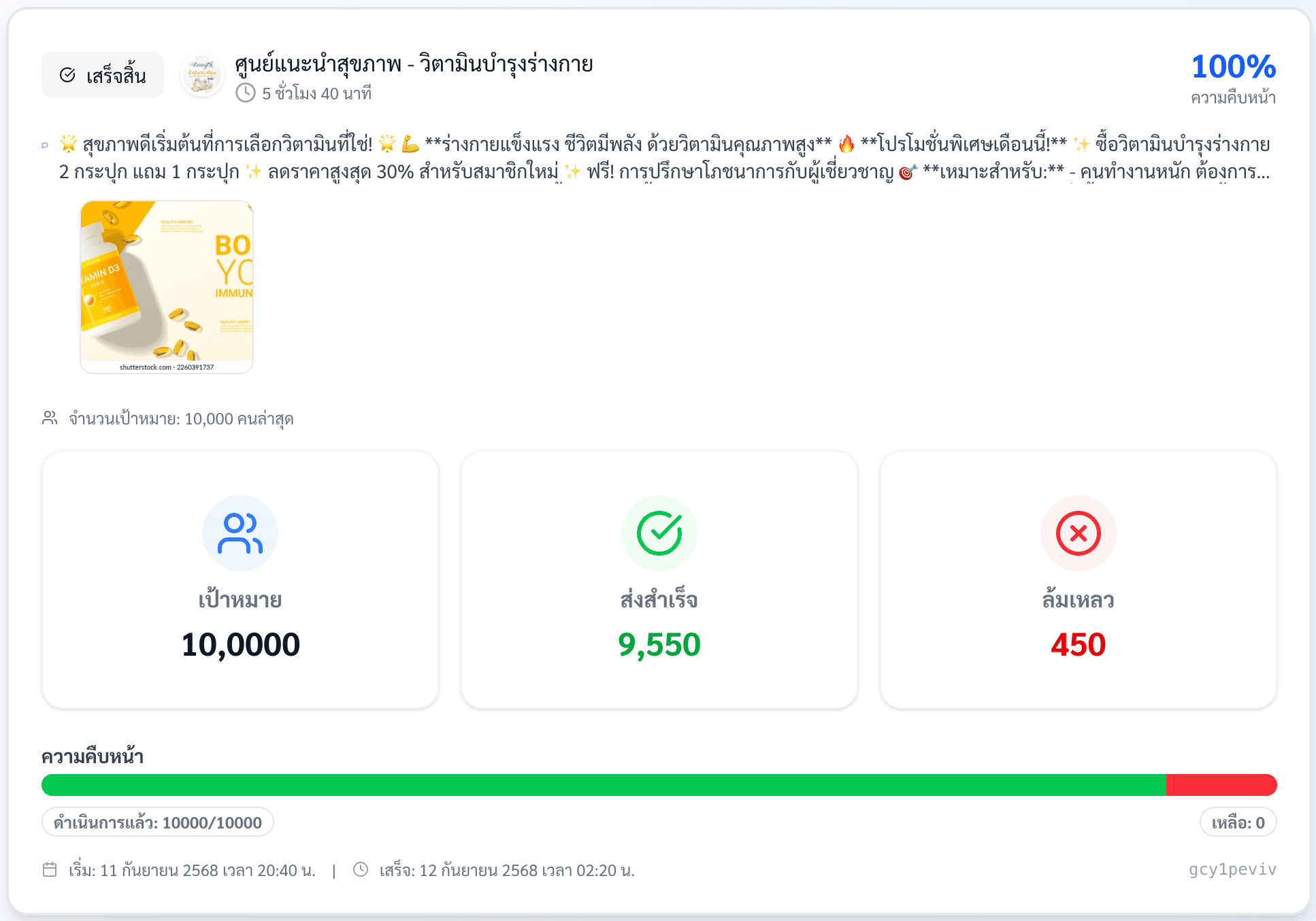
Broadcast by customer label for precise targeting
Broadcast by customer label, such as past customers, new customers or people interested in the same product category, to drive repeat sales more precisely.
See the full guide to broadcasting by label →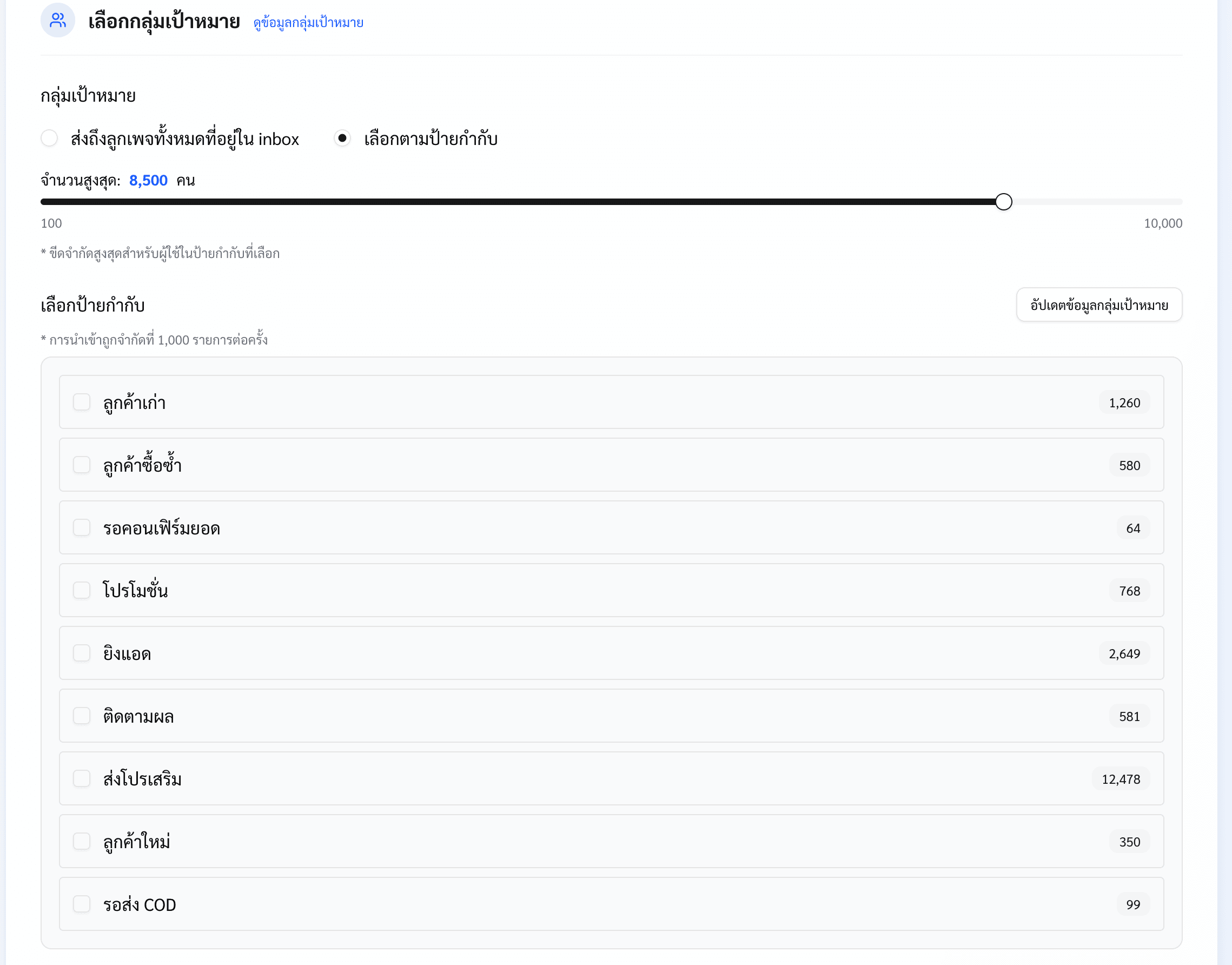
Send text and images to Facebook inboxes in one go
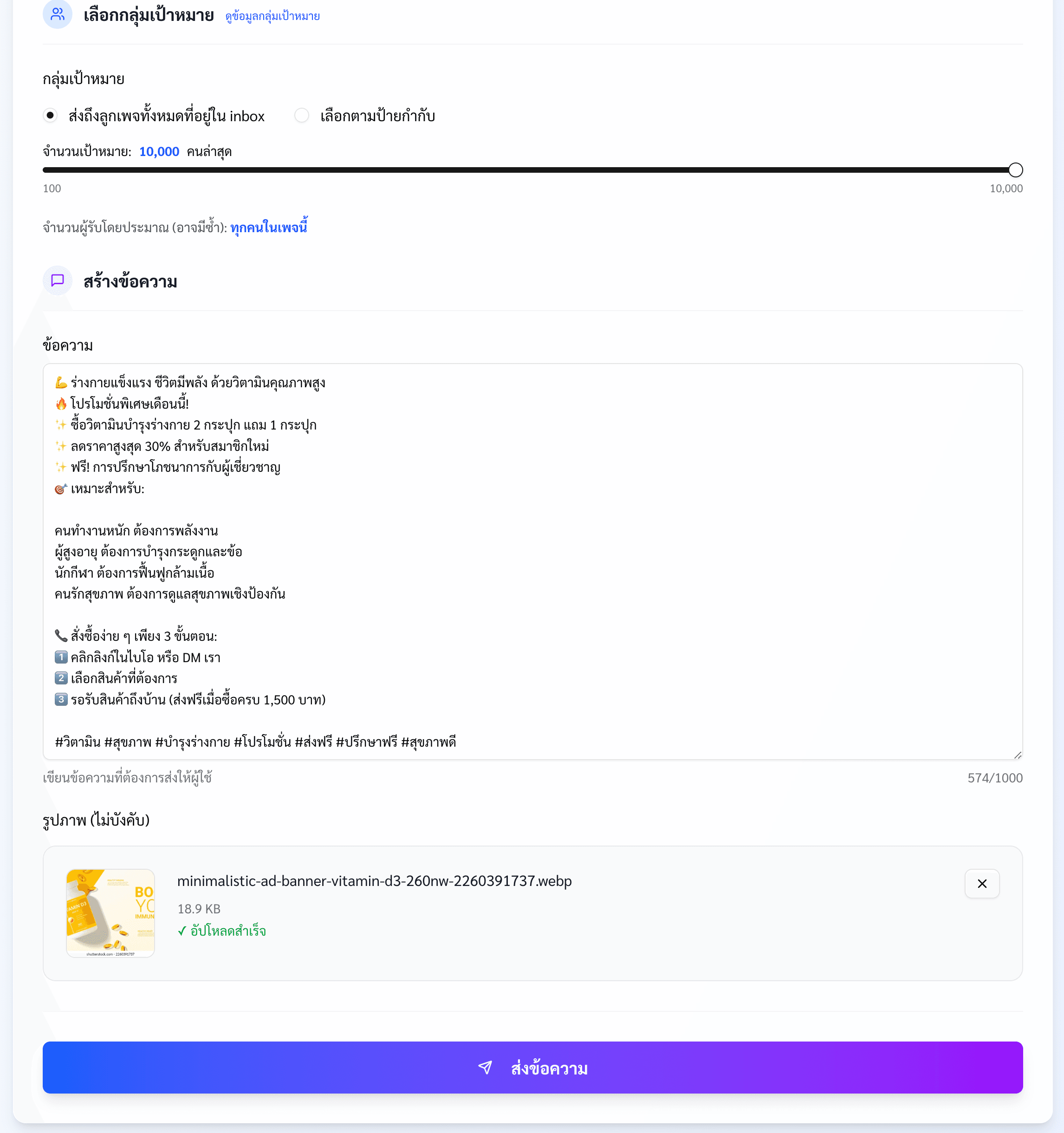
Send text and images to Facebook Messenger in a single message for more attention and more replies from customers, without Facebook blocking your images.
See an image + text broadcast example →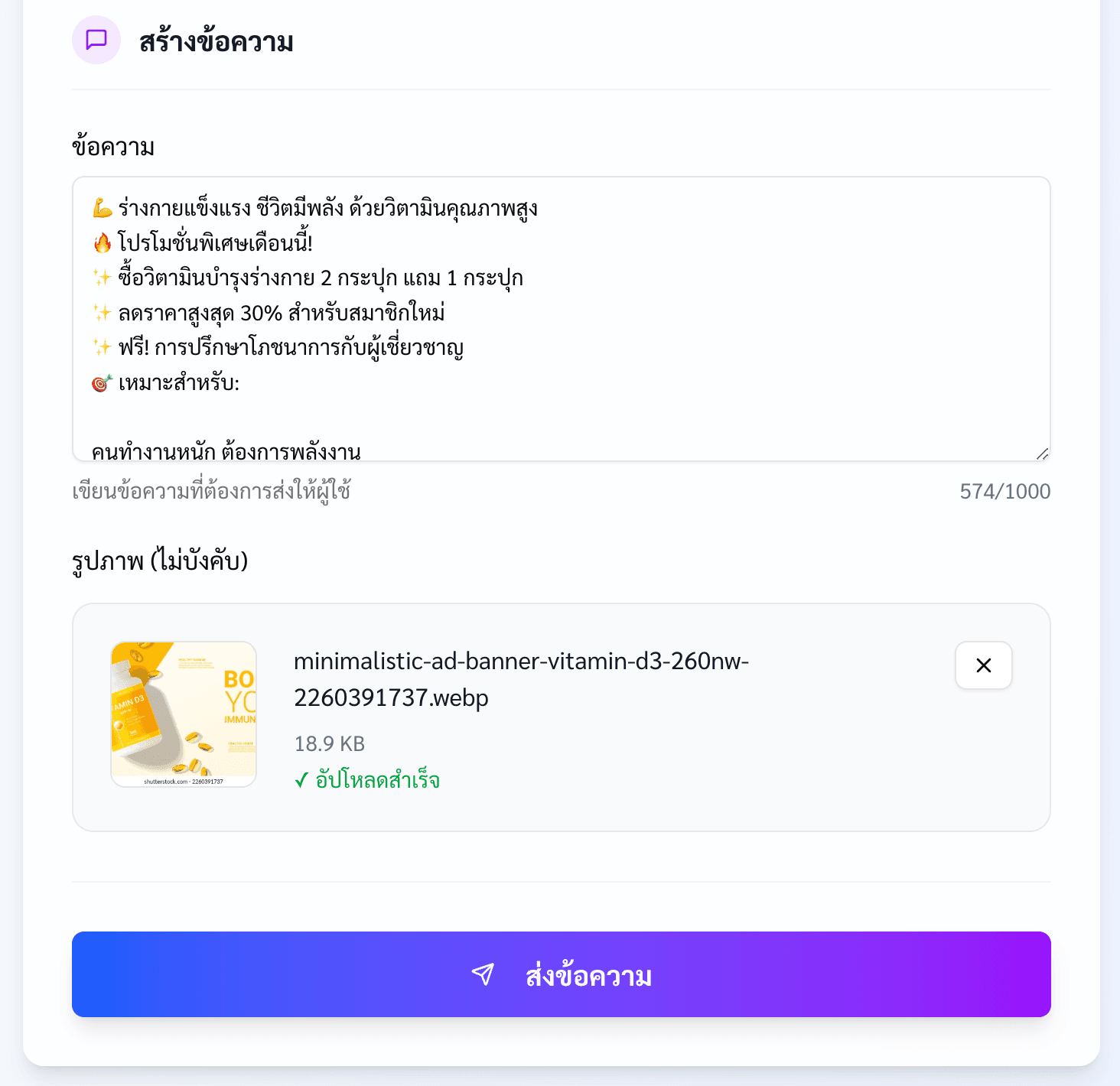
Broadcast conveniently and fast
Built for Pages with lots of followers
Are you running into these problems?
- Messaging customers one by one by hand takes forever
- Ads are expensive, and broadcasting directly through Facebook costs a lot
- Your Page can't run ads anymore, yet it has plenty of customers you can't turn into sales
- You can't broadcast only to customers who already bought from your Page
- Broadcasting too often annoys past buyers, so they block you and never buy again
And is this what worries you?
- Sales are dropping and your news and promotions don't bring customers back
- Your team sits idle with no chats to answer
- You're missing out on customers who could buy again and again
How BroadTurbo solves it, and what you get
- Message large numbers of customers, fast
- Broadcast only to customers who already bought
- Keep customers happier with broadcasts that reach the right people
- Save money with no ad spend on broadcasts
Two ways to send. Choose what fits your store.
Both use the same account. Use one or both.
Web version
Sends from our servers, so you can close your computer
- Sends via
- The official Facebook API, connected directly to your Page
- Devices
- Phone, tablet, computer
- Keep your screen open?
- No. Our servers keep sending, so you can close your computer
- Scheduling
- Supported
- Message types
- Standard messages Write your own, attach images
- Update/post-sale messages Ready-made templates, text only
- Reach customers who chatted long ago
- Yes, with update/post-sale messages, outside the 24-hour window
- Volume per send
- Maximum 50,000 recipients per broadcast
- Default 5,000 recipients
- Multiple Pages at once
- Select several Pages and send in one go
- Watch out for
- You grant permission Page by Page when connecting
Chrome extension
Write freely and attach images
- Sends via
- Your personal Facebook account, through Messenger
- Devices
- Computer + Google Chrome only
- Keep your screen open?
- Keep Chrome open until sending finishes
- Scheduling
- Not supported yet. You send manually
- Message types
- Write freely, attach 1 image per message
- Reach customers who chatted long ago
- Yes, going back about 2 years
- Volume per send
- With images 2,500–3,000 recipients/day
- Text only 5,000–10,000 recipients/day
- Multiple Pages at once
- Switch accounts/Pages yourself, one round at a time
- Watch out for
- Use a backup account, never one that runs ads
Every plan includes both channels with one account.
Great value for everyone
Pick the plan that fits your needs, with every feature included.
Every plan works on both the web version and the Chrome extension with one account.
Every plan includes:
15-day free trial
No credit card required
Unlimited personal Facebook accounts
Connect every account you have
Unlimited Pages
Manage all your businesses in one place
Facebook Page broadcasts
Message customers across unlimited chats
Video tutorials
Get started easily, right away
Automatic renewal
Keep running without interruption
Broadcast from multiple Pages/accounts at once
No need to keep your screen open or wait Page by Page

Frequently asked questions
Can't find your question? Contact our team on LINE Official. We're happy to help.
Does it break Facebook's rules? Is it safe?
No. BroadTurbo broadcasts through the Facebook API, so it follows Facebook's rules. Your broadcast messages just need to comply with Facebook's policies.
I already broadcast from Facebook. How is BroadTurbo different?
Broadcasting with BroadTurbo has no ad spend. Broadcasting directly from Facebook is charged as ads per impression, which gets very expensive.
How do I cancel my subscription?
Cancel yourself anytime with no commitment. Just open the subscription menu and the system cancels it for you. You can keep using BroadTurbo until your subscription ends.
Which payment methods do you accept?
You can pay by debit or credit card. Other payment methods aren't supported yet.
When does my subscription renew after the free trial?
Your subscription renews and is charged when the trial ends. You can cancel yourself anytime from the subscription menu.